Information flows where it should
Nothing gets lost between teams, when someone leaves, or at the end of the day.
What does lost information cost?
- 01Time lost to communication in many placesIt was meant to be 15 guests; 17 turned up. Along the way there were three other numbers — each on a different day, through a different channel. Every one had to be found and checked.
- 02Staff stress and finger-pointingThe kitchen cooks extra portions, the floor team adds place settings, the whole group waits for dinner. Instead of working, the team fights fires and works out who passed on the wrong number.
- 03Lost revenue and growthA discount, compensation and a bad online review. And for the next conference, the client picks another hotel.
Lost information always costs someone.
One screen, many possibilities
Information has one address. You don't search five places for it, and you don't add a sixth.
"My day" opens first: your list, your notes and the requests sent to you. Alongside it, open the team space – your team’s information hub – a shared board with requests, notes and the event calendar. Check items off, and the sender sees progress.
Possibilities grow with your structure
Requests flow between teams, divisions and sites — in a structure you set up yourself.
- One request to several teams: a task for some, information for others.
- A division head sees their teams' requests and shared documents.
- Start with one team, add more without rebuilding anything.
The team sees what's coming
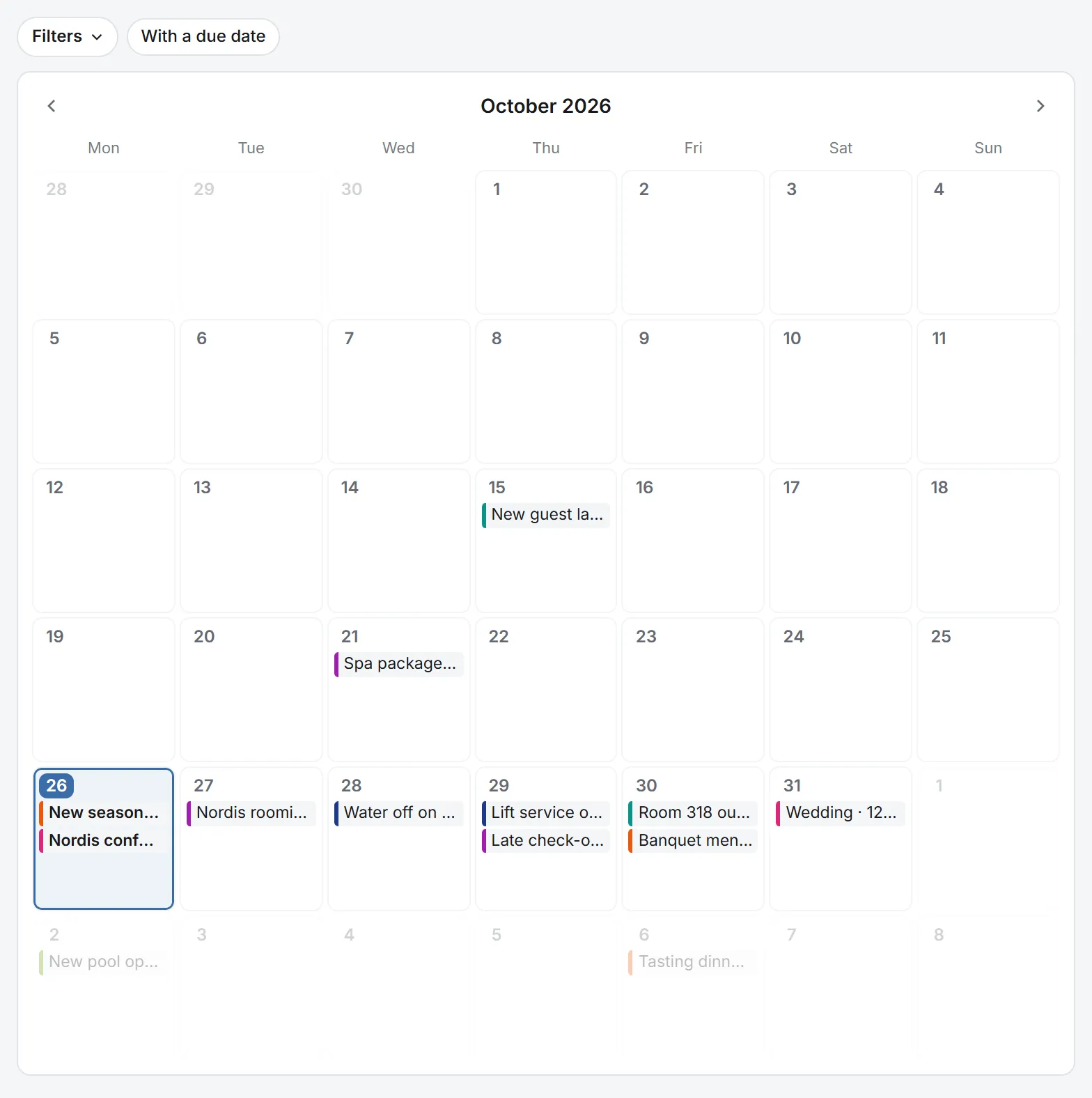
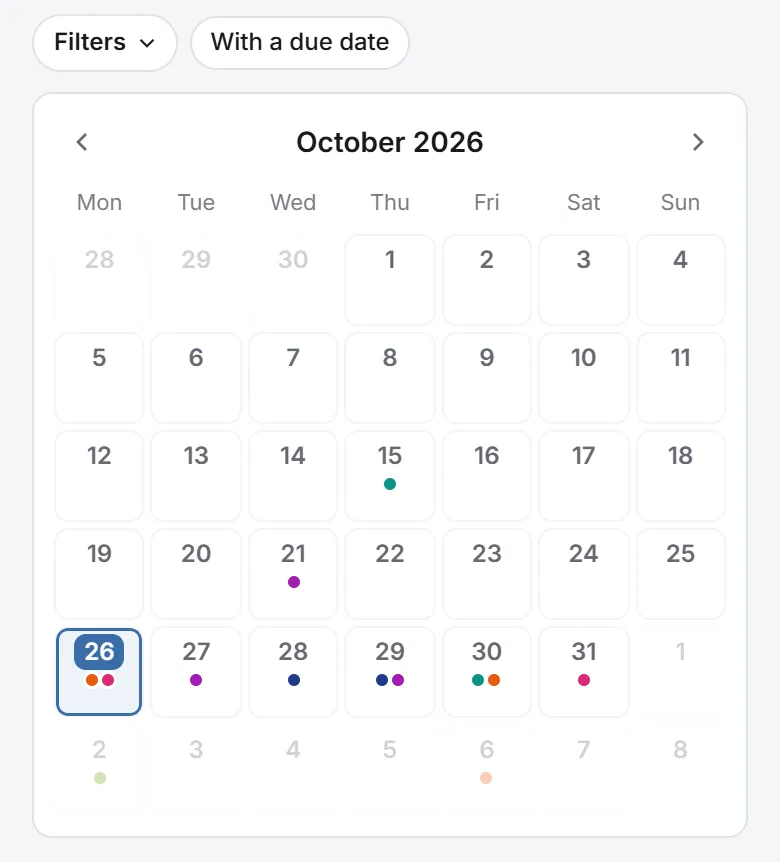
- The requests your team sends and receives sit on one calendar — you see what's coming and when.
- A request reaches the team on the day you choose — not before.
- Filter by team, category and site; start a recurring request from a copy of the last one.
See progress as it happens
- See who has read a request and which teams have already done it.
- When a team finishes, you see "Done" and approve. If something's unclear, the team sends it back to you with a comment.
Knowledge stays with the team, even when people leave
Someone leaves — their documents stay. The team lead takes them over in one click.
History shows what happened and who changed what — in documents, requests and the team space.
Before you change a procedure, the link map shows what depends on it.
The benefit grows with every team
Every team that joins widens the flow — the organization builds client trust, keeps risk in check and plans with a wider view.
Effective work isn't just about the app. It's how few steps stand between you and the information you need.
Building trust
Guests and clients get what was agreed, every time. Fewer mistakes, refunds and discounts, and the time you win back goes to your clients.
See how it looksRisk control
You learn about a problem from Flaber, not from a complaint. Leave and turnover don't stop the work — requests, history and documents stay with the team.
See how it looksA wider view
A team sees the full picture of what concerns it — today and in the weeks ahead. A division head has all their teams' requests on one calendar.
See how it looksSimple rollout
Flaber replaces what blocks effective work and supports what already works.
Works where you work
- Install Flaber like an app — its own icon on your computer and phone, no app store, no hunting for a browser tab.
- Your phone has the same modules as your computer.
- A brief connection drop doesn't stop you typing — the text waits and saves itself.
- Departments without personal accounts — kitchen, storeroom, maintenance — work on a team tablet. It shows the team space, requests and the calendar.
Access in your hands
- Add people by invitation, or set up their account yourself.
- Pair a tablet with a team using a PIN and show only what the work needs.
- Team leads withdraw team access; the organization admin moves people between teams and changes team leads.
Everyone sees only what's been shared with them — the database enforces that line, not just the screen.
Who Flaber makes work easier for
Flaber was built for hotels, conference centres and event venues, wherever several teams work together and the flow of information is key to keeping the business running.
Employee
The shared space brings together everything that matters to you and the rest of your team, in one place. A clear interface with plenty of options becomes your hub for managing information.
See how it looksTeam manager
You manage your own tasks and, in the same place, see what matters to the team, without switching screens. You share out tasks, plan key dates and keep the team’s documents in order.
See how it looksDepartment
You steer what matters from a business point of view. You assign tasks or pass on information, update key arrangements, run events, track progress and assess the risk of delays.
See how it looksManagement
You see what is going on, so you stay up to date. You delegate, draw attention to what matters, oversee, and focus on managing, because operations are under control in one place.
See how it looks
Start with one team.
Grow when you’re ready.
One team
Free for up to 3 people including you, with no card and no end date. Create an account and invite your team.
Whole organization
Several teams, divisions, sites. We’ll set up the structure and terms with you.